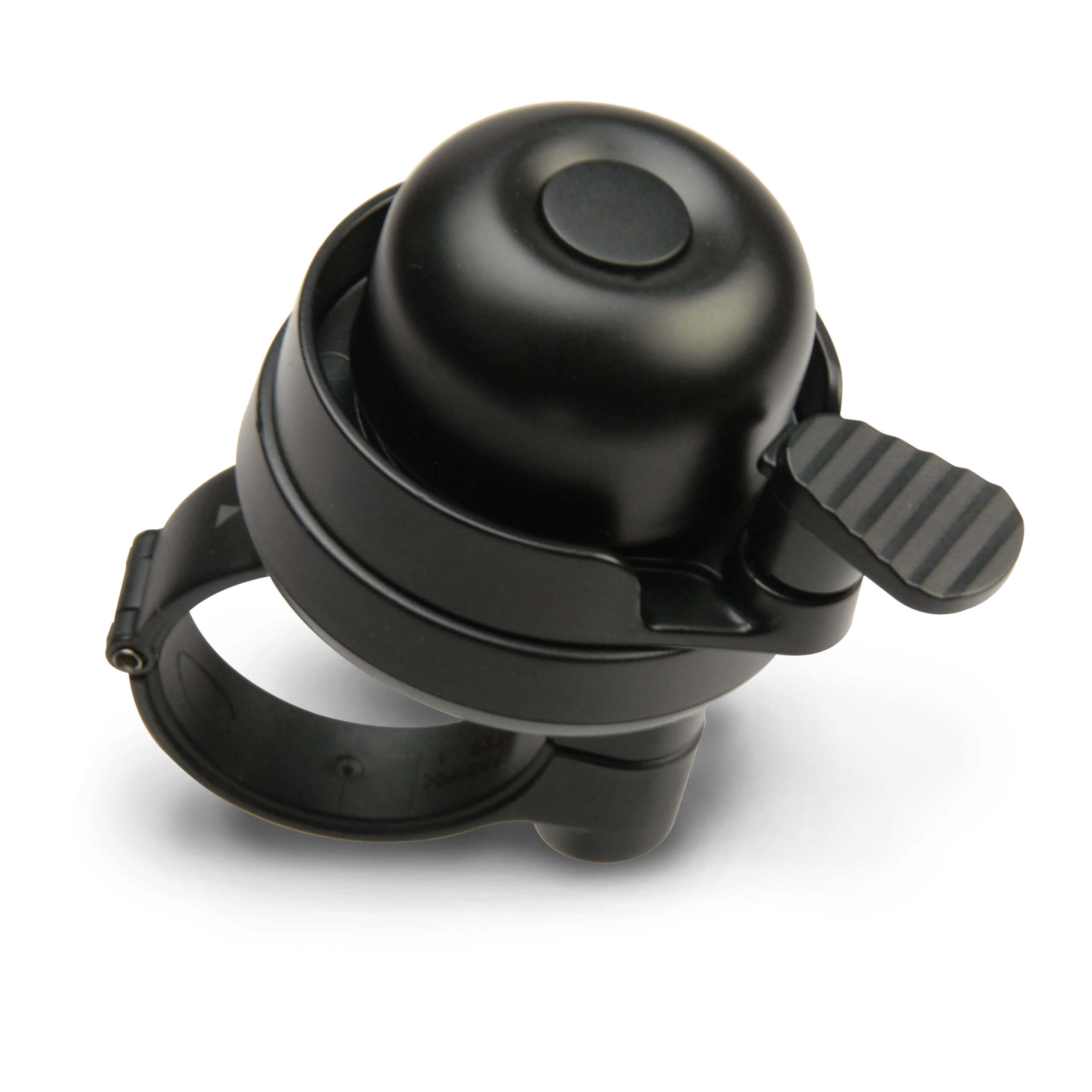
HP Locator Bike Bell
DOWNLOAD MANUAL Keep your bike safer and easier to find with the HP Locator Bike Bell. Designed to look and function like a standard bike bell, this smart accessory also helps to locate your bike using your compatible Apple or Android device through Apple Find My® or Google Find Hub. IOnce connected, the locator feature helps you keep track of your bike while the built-in bell provides everyday safety on the road, trail, or around town. Read more Key Features: Coming Soon Product specifications PCUA: 91210U Bluetooth: V5.2 Range: Battery: CR2032 Replaceable. App: Apple Find My®, Google Find My Device Unit Dimensions (HxWxD): 2.93 in x 2.5 in x 1.9 in Manuals and Documents English user guide: Download here Frequently Asked Questions Locator Bike Bell How to disable a HP Locator Bike Bell This article is related to the HP Locator Bike Bell and Google’s Find Hub app. The HP Locator Bike Bell can be disabled to stop it from sharing its location. It will no longer report to Google’s Find Hub network and the owner can no longer get updates on its location. If you receive a message on your Android device that a HP Locator Bike Bell has been detected near you and you are not familiar with this device, you can make this HP Locator Bike Bell ring through the system notification that you have received. After locating the item, use the steps described below to disable it. The owner will no longer receive updates on the location of this HP Locator Bike Bell and it will no longer trigger unknown tracker alerts. How to disable a HP Locator Bike Bell: Use a tool to loosen the screws. Rotate the bottom cover counterclockwise to open. Remove the battery to turn off the HP Locator Bike Bell How to re-enable a HP Locator Bike Bell Use a tool to loosen the screws. Rotate the bottom cover counterclockwise to open. Place a CR2032 coin battery inside with the positive side up. Close the HP Locator Bike Bell by aligning the holes on the lids. Rotate the bottom cover clockwise to lock. Tighten the screws, and finish. Frequently Asked Questions Calculators HP 15c Collector’s Edition – How do I update the firmware? For US customers, please contact Customer Service for instructions on how to update the 15C Calculator with the August 2024 Firmware update. Universal Locator Tags How to re-enable a HP Universal Locator Tag? 1. Press and hold the button on your HP Universal Locator Tag to re-enable it. 2. When the HP Universal Locator Passport Wallet is re-enabled, you will hear a confirmation sound. How to disable a HP Universal Locator Tag? This FAQ article is related to the HP Universal Locator Tag and Google’s Find Hub app. The HP Universal Locator Tag can be disabled to stop it from sharing its location. lt will no longer report to Google’s Find Hub network and the owner can no longer get updates on its location. If you receive a message on your Android device that a HP Universal Locator Tag has been detected near you and you are not familiar with this device, you can make this HP Universal Locator Tag ring through the system notification that you have received. After locating the item, use the steps described below to disable it. The owner will no longer receive updates on the location of this HP Universal Locator Tag and it will no longer trigger unknown tracker alerts. 1. Locate the button in the middle of the HP Universal Locator Tag. 2. Short press the button twice quickly, then press and hold the button until you hear a confirmation sound. TSA Locks How to re-enable a HP Universal Locator TSA Lock Press and hold the button on your HP Universal Locator TSA Lock to re-enable it. When the HP Universal Locator TSA Lock is re-enabled, you will hear a confirmation sound. How to disable a HP Universal Locator TSA Lock This article is related to the HP Universal Locator TSA Lock and Google’s Find Hub app. The HP Universal Locator TSA Lock can be disabled to stop it from sharing its location. lt will no longer report to Google’s Find Hub network and the owner can no longer get updates on its location. If you receive a message on your Android device that a HP Universal Locator TSA lock has been detected near you and you are not familiar with this device, you can make the Lock ring through the system notification that you have received. After locating the item, use the steps described below to disable it. The owner will no longer receive updates on the location of this HP Universal Locator TSA Lock and it will no longer trigger unknown tracker alerts. Locate the button on the right side of the HP Universal Locator TSA Lock. Short press the button twice quickly, then press and hold the button until you hear a confirmation sound. Locator Cards How to disable a HP Universal Locator Card This article is related to the HP Universal Locator Card and Google’s Find Hub app. The HP Universal Locator Card can be disabled to stop it from sharing its location. lt will no longer report to Google’s Find Hub network and the owner can no longer get updates on its location. If you receive a message on your Android device that a HP Universal Locator Card has been detected near you and you are not familiar with this device, you can make this Locator Card ring through the system notification that you have received. After locating the item, use the steps described below to disable it. The owner will no longer receive updates on the location of this HP Universal Locator Card and it will no longer trigger unknown tracker alerts. 1. Locate the button on the upper right corner of the HP Universal Locator Card. 2. Short press the button twice quickly, then press and hold the button until you hear a confirmation sound. How to re-enable a HP Universal Locator Card Press and hold the button on your HP Universal Locator Card to re-enable it. When the HP Universal Locator Card is re-enabled, you will hear a confirmation sound. Locator Bike Bell How to disable a HP Locator Bike Bell This article is related to the HP Locator Bike Bell and Google’s Find Hub app. The HP Locator Bike Bell can be disabled to stop it from sharing its location. It will no longer report to Google’s Find Hub network and the owner can no longer get updates on its location. If you receive a message on your Android device that a HP Locator Bike Bell has been detected near you and you are not familiar with this device, you can make this HP Locator Bike Bell ring through the system notification that you have received. After locating the item, use the steps described below to disable it. The owner will no longer receive updates on the location of this HP Locator Bike Bell and it will no longer trigger unknown tracker alerts. How to disable a HP Locator Bike Bell: Use a tool to loosen the screws. Rotate the bottom cover counterclockwise to open. Remove the battery to turn off the HP Locator Bike Bell How to re-enable a HP Locator Bike Bell Use a tool to loosen the screws. Rotate the bottom cover counterclockwise to open. Place a CR2032 coin battery inside with the positive side up. Close the HP Locator Bike Bell by aligning the holes on the lids. Rotate the bottom cover clockwise to lock. Tighten the screws, and finish. RELATED PRODUCTS No products were found matching your selection.
AI Readiness
Good foundation, but some important product data is still missing.