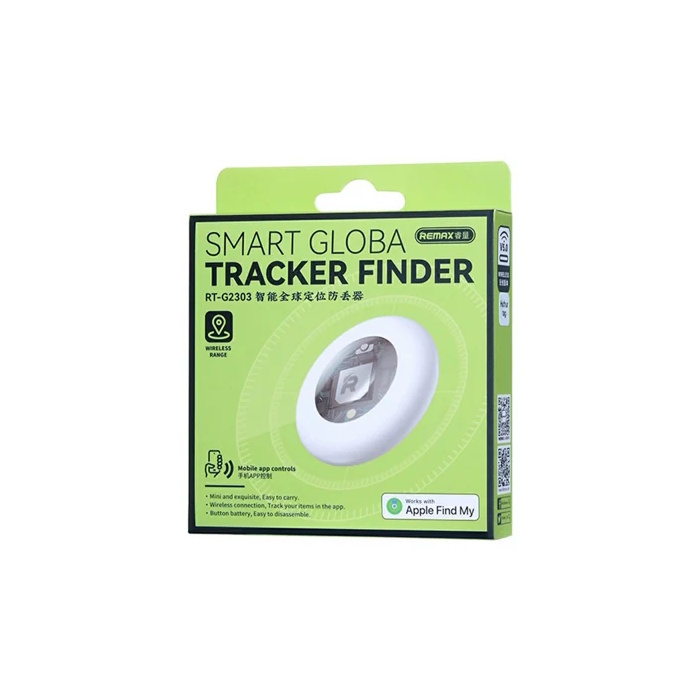
Remax Smart Tag Global Item Finder for Apple iPhone or iPad
Remax Smart Global Item Finder for Apple iPhone or iPad, RT-G2303 Remax RT-G2303 Smart Global Item Finder, a compact tracking device compatible with Apple’s tracking network. Key Features Compatibility: Works directly with the Apple Find My app on iOS devices without needing a separate third-party app. Design: Features a small, round white body with a glossy finish and an easily replaceable button battery. Use: Designed to attach to keys, wallets, or bags to help locate lost items globally. The Remax smart tag tracker uses one CR2032 button cell battery. Before You Begin Turn on your device’s Bluetooth and ensure you have a stable Wi-Fi or cellular connection. Make sure your Location Services are enabled (Settings > Privacy & Security > Location Services). Remove any plastic battery pull tab from the tracker if you haven’t already done so. Step-by-Step Pairing Guide How to set up your Remax Smart Global Item Finder with your iPhone or iPad using the native Apple Find My network. Open Find My: Launch the built-in Find My app on your Apple device. Navigate to Items: Tap the Items tab at the bottom of the screen. Add New Item: Tap the “+” (plus) icon, then select Add Other Item. Connect the Tracker: The app will begin searching. Press or hold down the button on your Remax tracker to make it discoverable (you should hear a chime or beep). Name and Register: Once your phone detects the tracker, tap Connect. Choose a name and select an emoji to identify your item, then tie the tracker to your Apple ID. Step-by-Step Battery Replacement Guide Locate the Back Cover: Turn the item finder over so you are looking at the back of the device. Open the Case: Press gently down on the back cover and rotate it counterclockwise (to the left). The cover will pop or click loose. Remove the Old Battery: Take off the back cover and lift the depleted CR2032 battery out of its slot. Insert the New Battery: Slide the new CR2032 battery in, making sure the positive side (+ symbol) faces upward toward you. Close the Case: Line up the tabs on the back cover with the slots on the tracker body. Press down slightly and rotate it clockwise (to the right) until it locks securely into place.
Specifications
- Compatibility
- Works with Apple Find My.
- Design
- Small, round, white tracking fob designed to attach to keys, bags, or other valuables
- Powered by
- CR2032 3V battery
How AI sees this product
The more complete this product's details, the more confidently AI assistants can understand and recommend it.